
Free Real Estate CRM That Actually Underwrites Deals
The spreadsheet that cost a wholesaler three deals in one quarter

A wholesaler I know in the Midwest was running 20 to 30 leads a month through a Google Sheet. He had tabs for contacts, tabs for comps, a separate Airtable for buyers, and a calculator he'd cobbled together from a YouTube tutorial. It worked — until it didn't.
He missed three follow-ups in one quarter because the sheet didn't surface them. Two of those deals went to other wholesalers who called back faster. The third one the seller just pulled off the market entirely.
The real cost wasn't the assignment fees he missed. It was the hours he spent every week maintaining a system that was always one fat-finger away from showing him the wrong ARV. That's the thing about duct-taped workflows — they don't fail dramatically. They bleed you out slowly, one miscalculation and one missed call at a time.
If that pattern sounds familiar, this post is for you. Specifically, it's about why a free real estate CRM with actual underwriting built in changes that math — and what to look for before you commit to anything.
Why most free CRMs fail active investors before the first deal closes

Generic free CRMs — HubSpot's free tier, Zoho, Bitrix24 — are built for sales teams moving software subscriptions or service contracts. The pipeline stages are wrong. The vocabulary is wrong. There's no field for ARV, no place to log EMD status, no way to flag a deal as a SubTo candidate versus a straight assignment.
So investors either abandon them inside 60 days, or they spend weeks customizing them into something that almost works. Neither outcome is free when you count the hours.
The second failure mode is the deal calculator problem. Most CRMs don't underwrite anything. They store contacts and maybe log calls. The actual analysis still happens in a separate spreadsheet, a separate calculator tool, or worse — in the investor's head, which is where bad MAO decisions get made at 11pm when they're tired and the seller is pressuring them.
A free real estate CRM built for operators needs underwriting baked in. Not as an add-on. Not as a premium feature. As the core function, because that's where deals get won or lost before a contract ever gets signed.
Per the Federal Reserve's 2023 Report on the Economic Well-Being of U.S. Households, small business operators consistently cite time and administrative burden as top constraints on growth — not lack of deals or capital. That tracks exactly with what I see in real estate: the operators losing ground aren't doing fewer deals, they're drowning in the work between the deals.
What free actually means in DealDog Core — and what it doesn't
DealDog Core is free forever. Not a 14-day trial. Not a freemium tier that locks you out of the one feature you actually need. Free, with no credit card required to start.
Here's what's included at zero cost:
- Unlimited AI deal analysis across 15 asset classes — wholesale, flip, BRRRR, SubTo, seller finance, novation, lease option, land, multifamily, mobile home parks, storage, STR, commercial, and mixed-use. Paste a deal description or fill the intake form and get ARV estimates, repair ranges, MAO, cash flow projections, exit strategy flags, and risk notes in roughly 60 seconds.
- Buyer list management — clean database with buy box fields, funding type, condition preference, and geography. No more spreadsheet hell where half your buyers have stale phone numbers and no notes on what they actually buy.
- In-network buyer matching — when you run a deal, the system scans your own buyers list for matches automatically.
- LOI generation — auto-generated Letter of Intent that goes to the seller without you drafting it from scratch every time.
What Core doesn't include: cross-network matching (that's Core+ at $79/mo), the full GoHighLevel CRM subaccount with branded pipelines and automations (that's Pro at $149/mo), and branded buyer communications from your own domain.
For a solo wholesaler doing under 30 deals a year or a buy-and-hold operator managing a small portfolio, Core handles most of the heavy lifting at no cost. The paid tiers exist for operators who've outgrown their own buyers list and need the network layer — or who want to replace their entire stack with one tool.
The underwriting gap that kills deals before they reach buyers
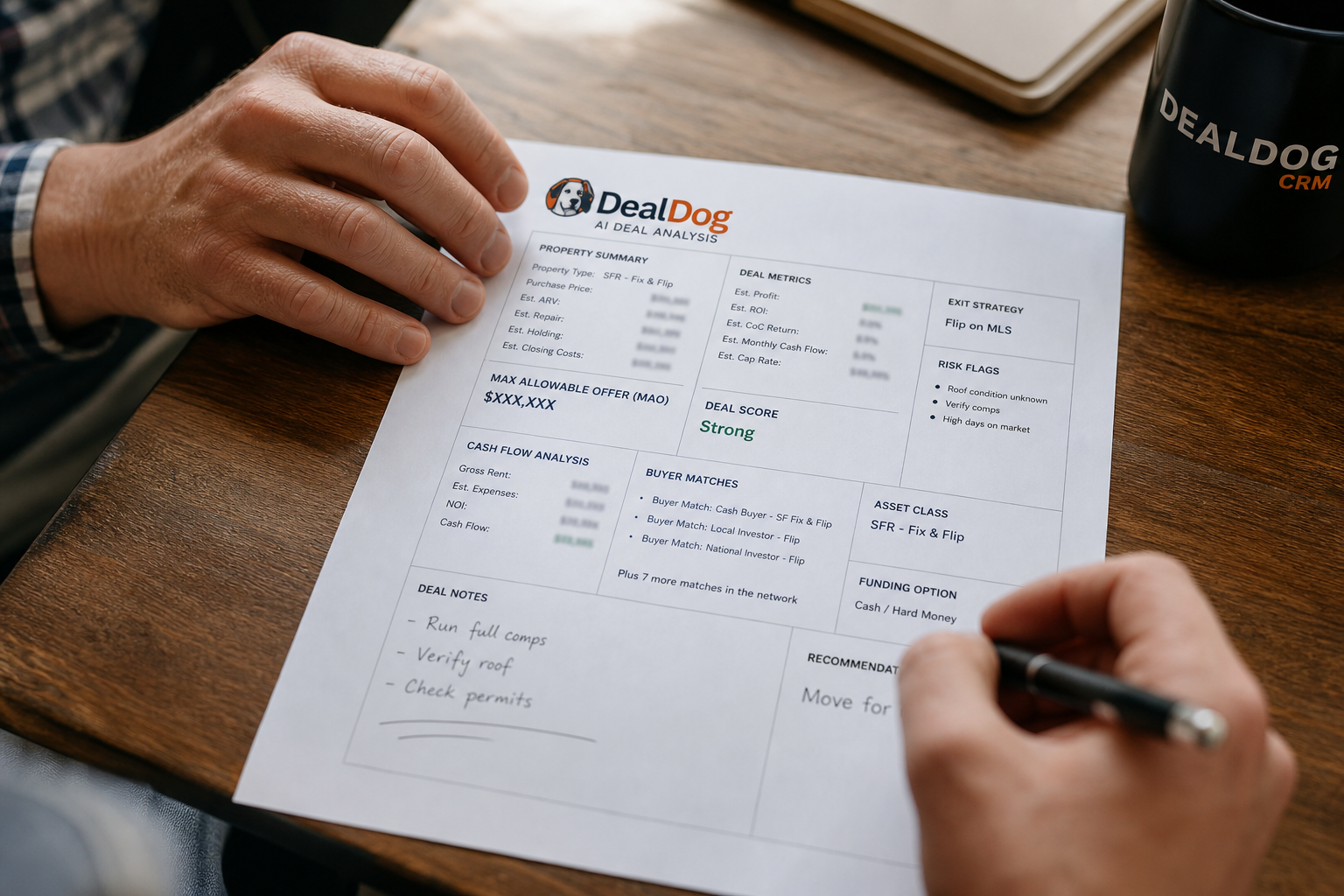
The average investor I talk to is running deals with one of three underwriting setups: a downloaded spreadsheet from someone's course, a calculator site with no memory or deal history, or gut feel backed by a few Zillow comps. All three produce the same outcome often enough to be a real problem — deals that get priced wrong, presented to buyers at a number that doesn't pencil, and then sit until the motivated seller gets cold feet.
AI underwriting at the deal intake stage changes the sequence. Instead of running a deal through your calculator after you've already talked price with the seller, you're running it before — or during — that conversation. You know your ceiling going in. You know which exit strategy actually works at the current ask. You're not reverse-engineering your numbers to justify a price you already half-committed to.
This is where the contrarian point lands, so I'll say it plainly: a bigger buyers list does not fix a bad underwriting habit. Operators spend months grinding dispositions — cold calling buyers, building relationships, paying for buyer list services — when the actual leak is that they're bringing buyers deals that don't pencil at the presented price. No buyer list size solves that. The fix is upstream, at the analysis stage, before you call the seller back.
The National Association of Realtors Research Reports document consistently that deal timeline and pricing accuracy are the primary friction points in residential transactions. Off-market wholesale deals carry all of that friction without the MLS infrastructure to catch errors. That's the environment where a 60-second AI underwrite earns its keep.
How buyer list management actually breaks down in practice
Most investor buyer lists are a mess by month six. This isn't an opinion — it's the universal complaint I hear from operators who've been active for more than a year. The problem compounds fast.
A buyer you onboarded eight months ago has changed their criteria. They were buying SFR in one zip code, now they're only doing multifamily. Their number still works, they'll still take your calls, but they're going to pass on every SFR deal you send them. Meanwhile you're blasting your whole list every time you get a deal, training everyone on it to tune you out.
A clean buyer database has, at minimum: current buy box by asset class, geographic range with specific counties or zip codes, price range with floor and ceiling, funding type (cash, hard money, DSLAP, conventional), condition preference (turnkey, light rehab, gut job), and a last-contacted date. Without those fields structured, you're not managing a buyers list — you're managing a contact list that you email occasionally and hope someone responds.
DealDog Core's buyer management is built around those fields specifically because I built it to solve a problem I had myself. When I was sourcing deals across multiple asset classes — SFR, a few small multifamily plays, some land — I needed to know fast which buyers in my list would actually care about a specific deal. Not who might care. Who would. That required structured data, not a spreadsheet where half the rows had empty fields.
The buy box fields that matter most
- Asset class (be specific — "multifamily" is not a buy box, "5-20 unit value-add in the Midwest" is)
- Price ceiling and floor, not just "under $X"
- Funding type — some buyers can only move with hard money, which affects your close timeline
- Rehab tolerance — a buyer who says "light rehab" and a buyer who says "gut job" are not interchangeable
- Geographic specificity — city is not enough, county or zip cluster is the floor
- Last updated date — a buy box from 18 months ago is probably wrong
Before your next deal: a 5-point intake checklist
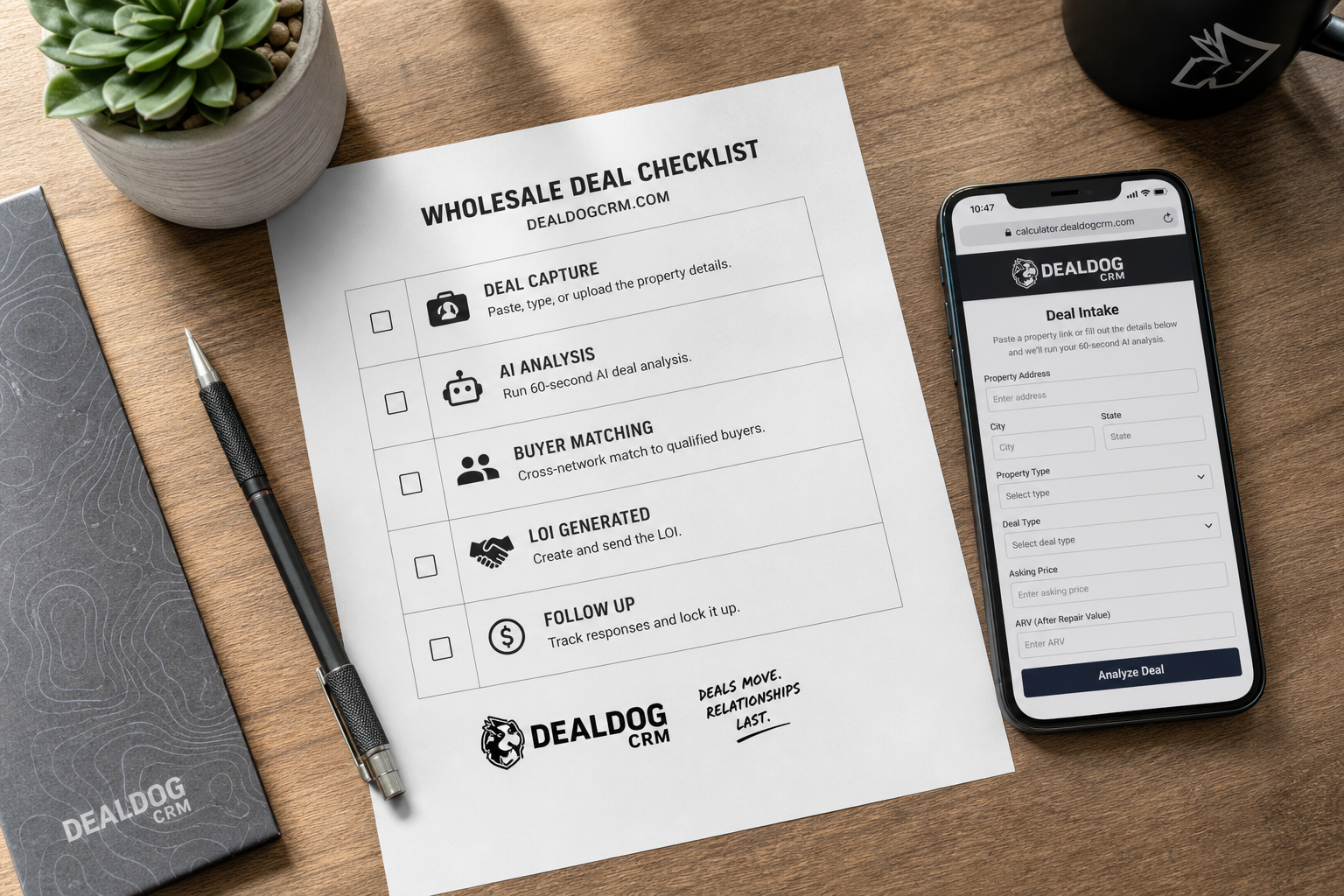
This is the artifact I'd want someone to screenshot and use. Run every deal through these five checkpoints before you present it to a buyer — or before you spend time building rapport with a seller around a number you can't defend.
- Run AI underwriting first, not after. Use a tool that covers your specific exit strategy — don't run a SubTo deal through a flip calculator and expect the numbers to mean anything. DealDog's analyzer covers all 15 asset classes separately because the inputs and risk flags are different for each.
- Confirm the ARV source. AI estimates are a starting point. Before you contract, verify against at least 3 closed comps within 1 mile and 90 days, same bed/bath count, similar condition. If the market is thin on comps, flag it as a risk in your buyer presentation — don't hide it.
- Match to your buyer database before you call anyone. Pull the buyers who match by asset class, geography, price range, and rehab tolerance. Call those people first, in that order. Don't blast your full list.
- Identify the exit strategy hierarchy. Not every deal is a straight assignment. Know whether it pencils better as a novation, a SubTo, a seller carry, or a wholetail before you're on the phone with a buyer who asks.
- Have the LOI ready before you need it. If a buyer says yes and you have to go draft a Letter of Intent, you've introduced 24 hours of friction where someone else can step in. Generate it at intake so it's there when the conversation closes.
Five steps, none of them complicated, all of them skipped regularly by operators who are moving fast. The ones who run this consistently close more of the deals they get under contract — because they're presenting cleaner deals to better-matched buyers.
Start running DealDog Core on your next deal
If you're still running deal analysis through a YouTube calculator and managing buyers in a spreadsheet, the free tier exists specifically to show you what structured intake and AI underwriting feel like on a real deal. No pitch, no trial expiration — Core is free permanently.
When you outgrow your own buyers list and want every deal scanned across the full DealDog network, Core+ is $79/month with a 14-day free trial. That's where the cross-network JV matching and automatic referral fee structure live.
See how it works at dealdogcrm.com — the demo walks through the deal flow from intake to buyer match in real time. If you want to talk through your specific setup before you commit to anything, grab 15 minutes on my calendar. No sales script, just operator-to-operator.
Frequently Asked Questions
Is DealDog Core really free forever, or does it convert to a paid plan?
Core is free permanently — not a trial. You get unlimited AI deal analysis across 15 asset classes, buyer list management, in-network buyer matching, and LOI generation at no cost and with no credit card required to start.
Paid tiers (Core+ at $79/mo and Pro at $149/mo) add cross-network matching across the full DealDog user base, branded buyer communications, and a full GoHighLevel CRM subaccount. Those are optional upgrades, not gates on the free functionality.
What asset classes does DealDog's AI underwriting cover?
DealDog's analyzer covers 15 deal types: wholesale assignment, fix-and-flip, BRRRR, SubTo, seller finance, novation, lease option, land, multifamily, mobile home parks, self-storage, short-term rental, commercial, mixed-use, and Morby Method structures.
Each asset class runs different inputs and surfaces different risk flags — a SubTo analysis looks at existing loan balance, interest rate, and due-on-sale exposure, while a BRRRR analysis focuses on after-repair value, refinance LTV, and stabilized cash flow. They're not the same calculator with a different label.
How is DealDog different from a generic CRM like HubSpot or GoHighLevel?
Generic CRMs store contacts and log activity. They don't underwrite deals, they don't have buy box fields built for real estate, and they don't match deals to buyers automatically. You'd spend weeks customizing one before it was usable for wholesale or investment deal flow.
DealDog is built specifically around the deal intake-to-disposition workflow. The fields, the analysis, the buyer matching, and the LOI generation are all native — not custom fields you built yourself. Pro tier includes a full GoHighLevel subaccount if you want both in one place.
What does buyer matching actually do in DealDog?
When you run a deal through DealDog, the system scans your buyer database against the deal's asset class, geography, price point, and rehab level and surfaces matched buyers automatically. On Core+ and Pro, it also scans across the entire DealDog network — not just your own list — and flags cross-network matches with JV referral fee structures built into the workflow.
This matters most when your own buyers list is thin for a specific asset class or market. A land deal in a state where none of your buyers operate can still get matched to a qualified buyer in the network without you cold-calling a list you don't have.
Do I need to cancel my existing CRM to use DealDog?
No. Core and Core+ are designed to bolt onto whatever stack you're already running — Podio, REISift, a spreadsheet, GoHighLevel, or nothing at all. You use them for deal analysis, buyer management, and LOI generation without touching your existing workflow.
Pro tier includes a full GoHighLevel subaccount with pipelines, branded email and SMS, and automations if you want to replace your existing CRM entirely. That's an option, not a requirement.
How long does an AI deal analysis take in DealDog?
Roughly 60 seconds from submission to full output. You paste a deal description or fill the intake form, and the analyzer returns ARV estimates, repair cost ranges, MAO, cash flow projections by exit strategy, and risk flags — without you building a spreadsheet or pulling comps manually first.
As of Q2 2025, the analysis covers all 15 asset classes natively, meaning the model applies the right underwriting logic for the specific deal type rather than running every deal through a generic residential formula.
